

CAD to GLB for a Virtual Car Showroom
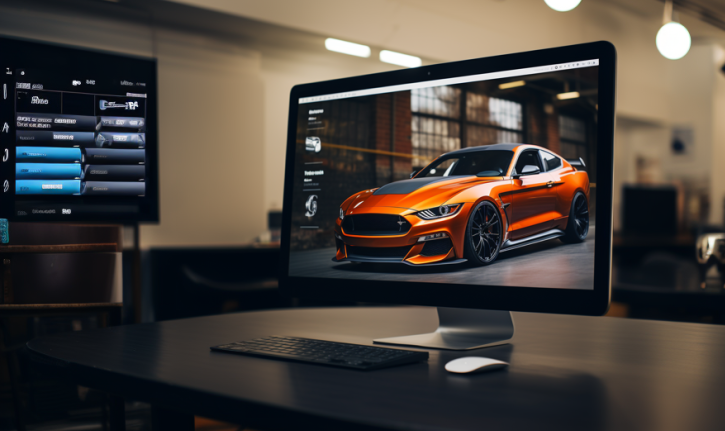
Virtual Car Showrooms have become a popular alternative for dealerships to promote their latest car models. These high-quality, engaging showrooms helps shoppers research and compare different car models to help them in their purchase process. Meshmatic is the ideal software to help prepare CAD files for web visualizations like virtual showrooms.

Virtual Showroom challenges
Being a digital replica of their dealership means that auto companies need accurate representations of the CAD models of their cars. However, rendering complex models for web 3D can pose several challenges due to the limitations of web browsers and the constraints of the web environment. Some common challenges include:
- Performance and loading times: Complex models can significantly impact loading times and require optimization for smooth rendering.
- Compatibility and cross-browser support: Ensuring consistent rendering across different browsers and platforms can be challenging since different browsers may have varying levels of support for 3D rendering.
- Real time interactivity: Maintaining real-time interactivity with complex models can be computationally demanding.
- Optimizing geometry and textures: Simplifying geometry and optimizing textures without compromising visual quality is essential for efficient rendering.
Meshmatic can convert CAD models to GLB for web-based rendering, and also optimize the mesh to meet the performance constraints of web.
key features


Streamlined Conversion and Optimization
- CAD file support
- Automated optimization features


Error Free Conversion
- Automated Optimization reduces manual work
- Streamlined workflows and data management


Integration with Game Engines
- Seamless export to industry-standard formats
- Smooth integration into Unity and other game engines

Higher FPS
- Significantly improve rendering speed
- Reduced draw culls on GPU
Profile Presets for 3D Web Real-Time Rendering

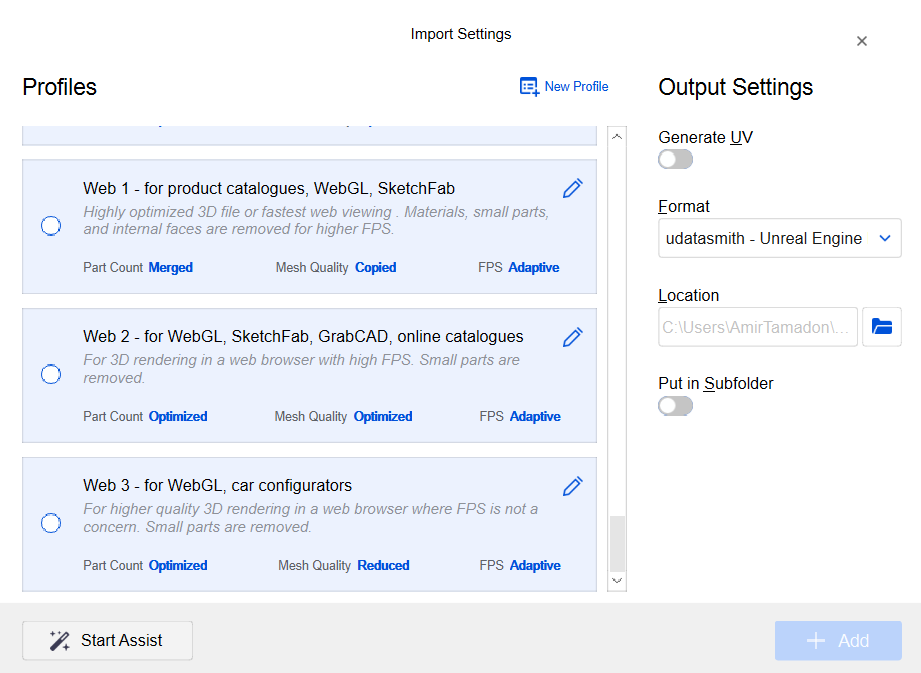
Meshmatic comes equipped with three profile presets tailored specifically for 3D web real-time rendering. These profiles offer different mesh quality settings to cater to various optimization needs, ranging from the lowest to the highest levels of detail. With these presets, users can easily select the appropriate profile based on their desired balance between visual quality and performance. Whether it’s a need for faster loading times or maximum efficiency in real-time rendering, Meshmatic’s profile presets provide a convenient solution to achieve optimal mesh optimization for 3D web real-time rendering scenarios.
Mesh Combine Tool

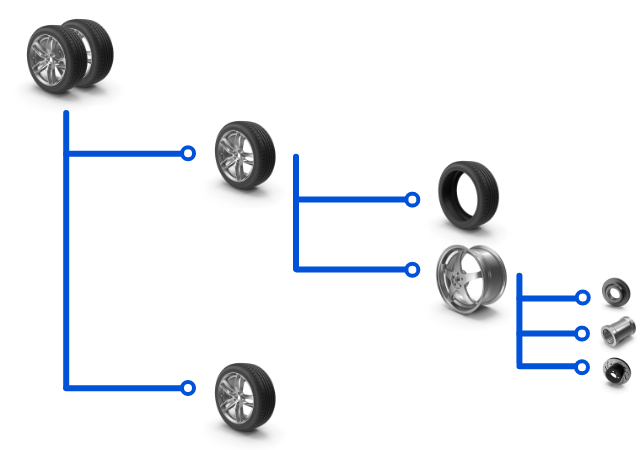
Meshmatic makes it easy for users to choose the best settings for merging multiple meshes based on outliner hierarchy groups, components, or even shared materials (for Substance Painter and Designer). With the software’s guidance, users can easily simplify the combination process, and reduce draw calls, enhancing rendering performance. This feature streamlines the handling of complex scenes and addresses the challenge of limited hardware resources, improving real-time interactivity in web 3D rendering.
Removing Small parts


Meshmatic’s helpful “Remove Small Parts” tool is ideal for virtual car showrooms projects – users can easily eliminate small and intricate components that may not be relevant or even visible in the visualization. By deleting this unnecessary geometry, Meshmatic helps improve the rendering performance in the web environment.
UV Generator


Meshmatic’s UV generator can automatically generate optimized UV maps for meshes. Several web-based render websites and platforms prioritize UV mapping in meshes for optimal texture rendering, including SketchFab, clara.io, Three.js and more.
GLB/GLTF Export with Draco Compression

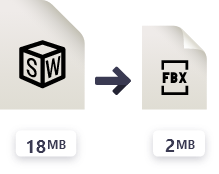


Meshmatic offers seamless exporting of models in GLB and GLTF formats. With its built-in Draco compression, Meshmatic ensures efficient compression, reducing file sizes while maintaining visual quality. This enhances upload and download times and optimizes overall performance for web-based 3D rendering.


Download Meshmatic and Boost Your 3D Workflow
Download now and experience seamless mesh pptimization. Try the full features of Meshmatic for yourself, completely risk free.


Vancouver, BC V6E 0B3 Canada