
CATIA to Unity for Desktop Visualizations
Prepare your CATIA models for a desktop visualization using Unity. Meshmatic helps you easily convert CATpart and CATproduct files to mesh, and optimize them to meet the processing requirements of desktop.

KEY FEATURES
CATIA models, known for their complexity and high polygon counts, need to be optimized for real-time rendering on mobile devices with limited processing power. Additionally, ensuring accurate scale, alignment, and visual fidelity in the AR environment adds another layer of complexity. Meshmatic’s conversion and optimization features are essential to efficiently prepare CATIA models for mobile AR.

Streamlined Conversion and Optimization
- Native CATIA file support
- Automated optimization features

Error Free Conversion
- Automated Optimization reduces manual work
- Streamlined workflows and data management
Integration with Game Engines
- Seamless export to industry-standard formats
- Smooth integration into Unity and other game engines

Higher FPS
- Significantly improve rendering speed
- Reduced draw culls on GPU
Catia to Unity Conversion and Tessellation
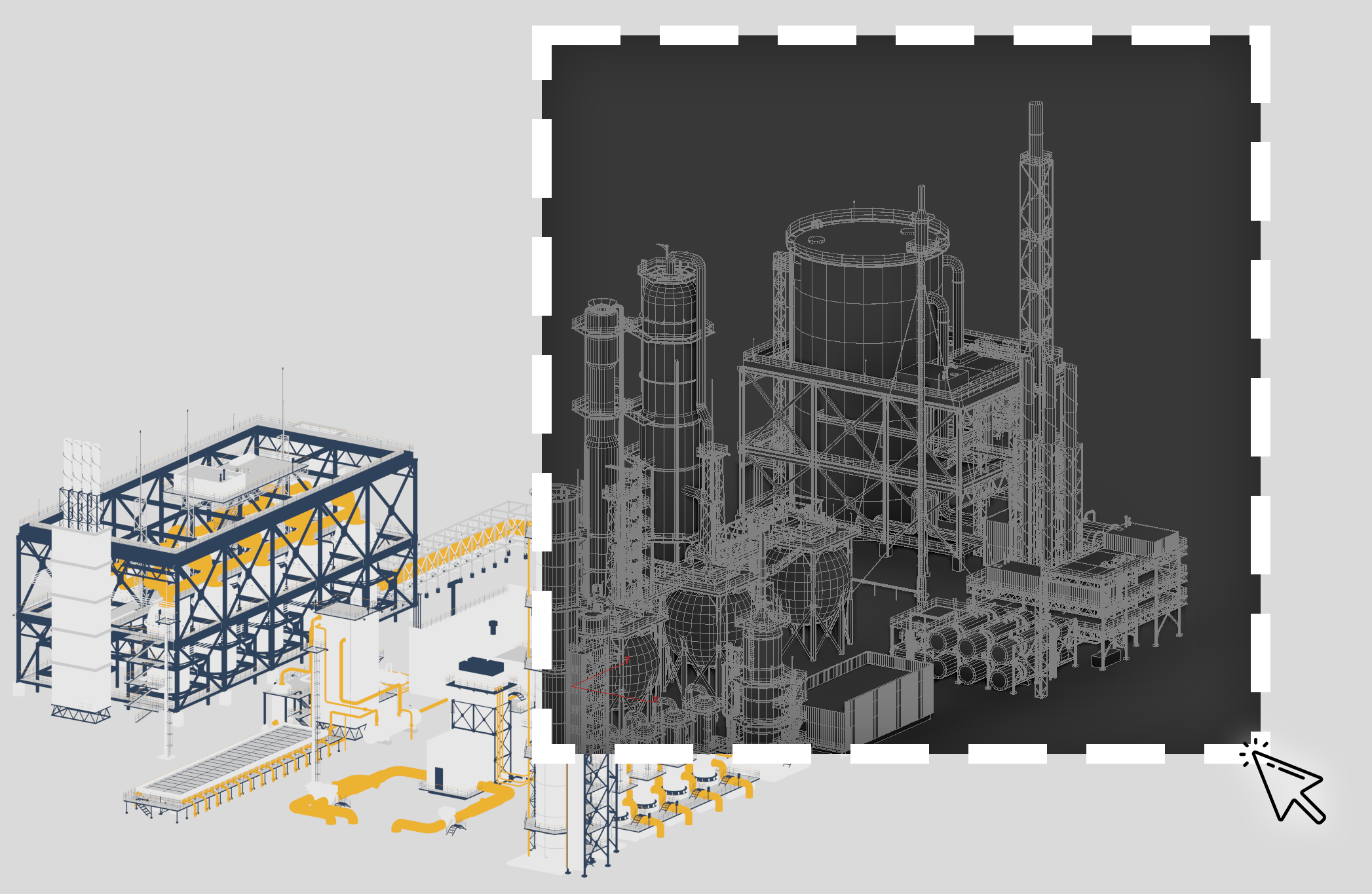
Meshmatic can directly read native CATIA files (CATProduct, CATPart) without the need for the user to export from CATIA. Users can open CATIA files directly in Meshmatic for further processing and optimization. This eliminates the additional step of exporting from CATIA and allows for a more streamlined workflow between CATIA and Meshmatic.
Geometry Simplification
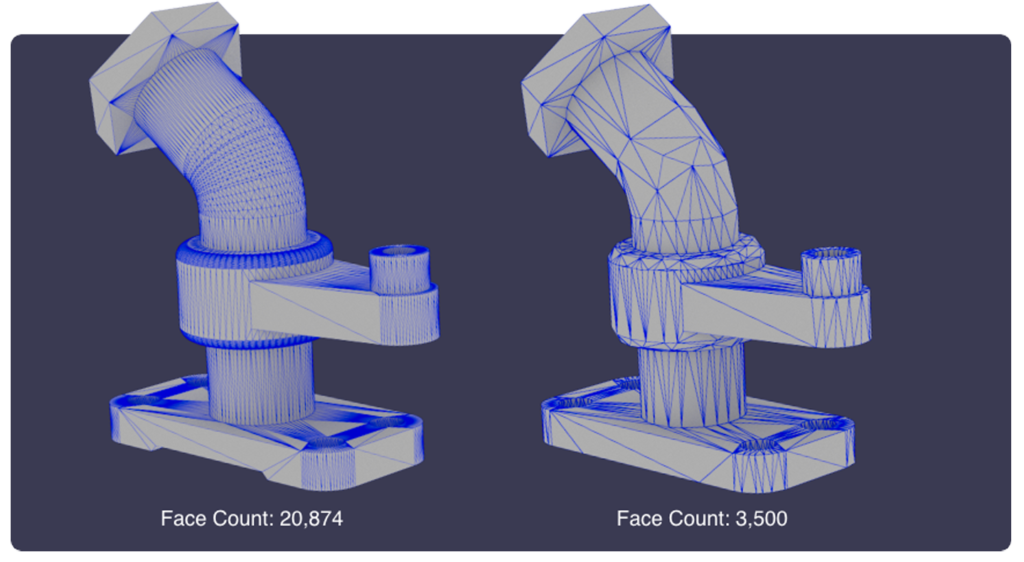
Using advanced algorithms and techniques, Meshmatic is able to optimize the model for desktop visualizations. The software uses advanced algorithms and techniques to optimize the geometry without requiring extensive manual adjustments from the user. With Meshmatic’s simple and user friendly, users can make minimal selections. Meshmatic is then able to identify areas for optimization and performs the necessary mesh reduction to ensure efficient polygon face counts and overall model optimization for real-time rendering in Unity. This automated optimization capability saves time and effort for the user while still achieving the desired level of optimization for a real-time visualization in Unity.
Material and Texture Translation

Meshmatic automatically detects the shaders used in the CAD models and converts them to make them compatible with Unity, and ensuring they are accurately translated into Unity’s shader system. This means that the user doesn’t have to manually recreate or adjust the shaders. This simplifies the workflow and ensures a seamless visual transition from the original CAD model to the Unity game engine.
Hierarchy Organization

As CATIA models often have complex assemblies and hierarchies, Meshmatic’s simple UI helps users select and optimize the model’s outliner hierarchy for Unity. Based on user’s selections, Meshmatic can simplify the hierarchy, remove unnecessary components, and ensure proper parent-child relationships. This step guarantees a clean and efficient hierarchy upon import into Unity.

Download Meshmatic and Boost Your 3D Workflow
Download now and experience seamless mesh pptimization. Try the full features of Meshmatic for yourself, completely risk free.


Vancouver, BC V6E 0B3 Canada